Skip to content
Activities and experiences

A booking system for activities and experiences.

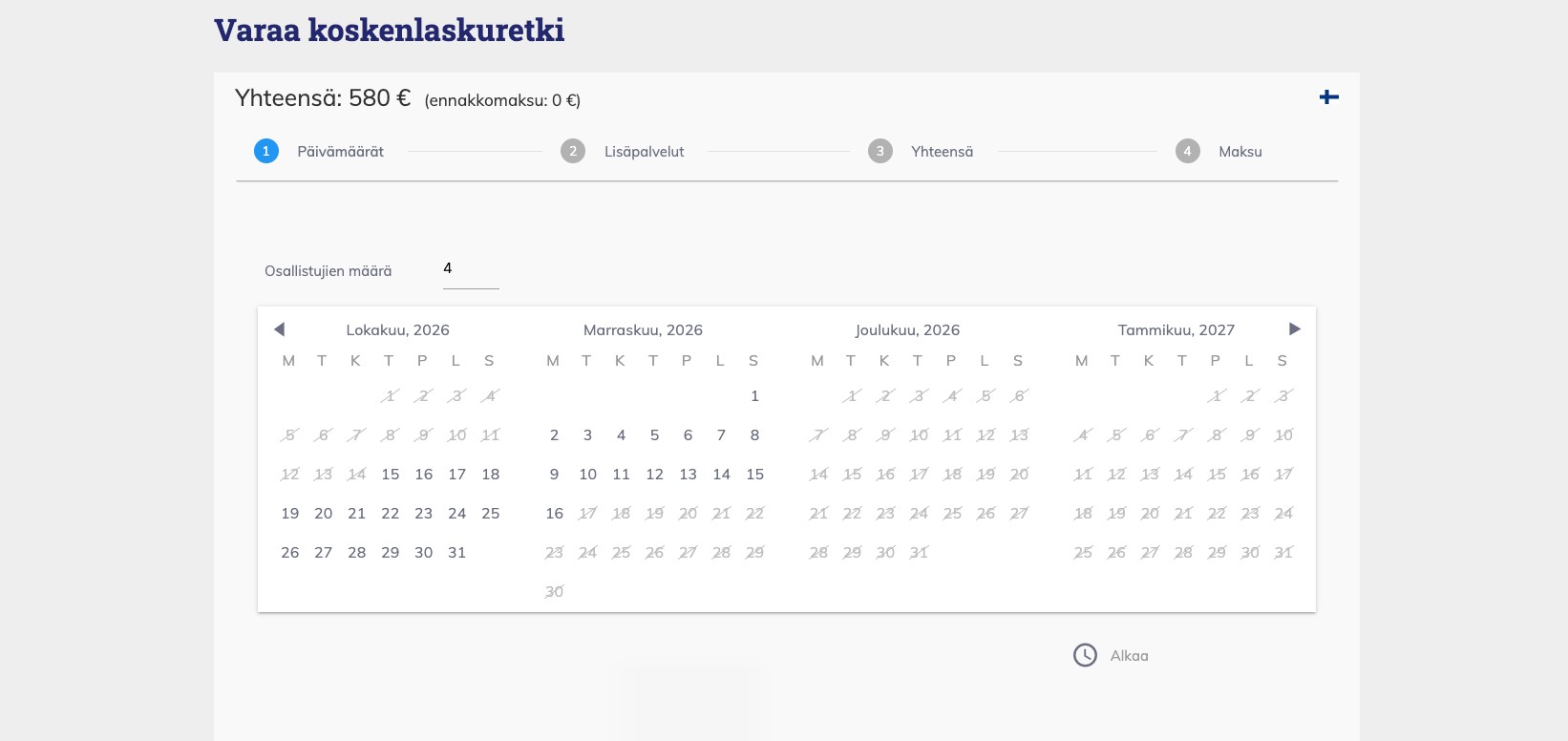
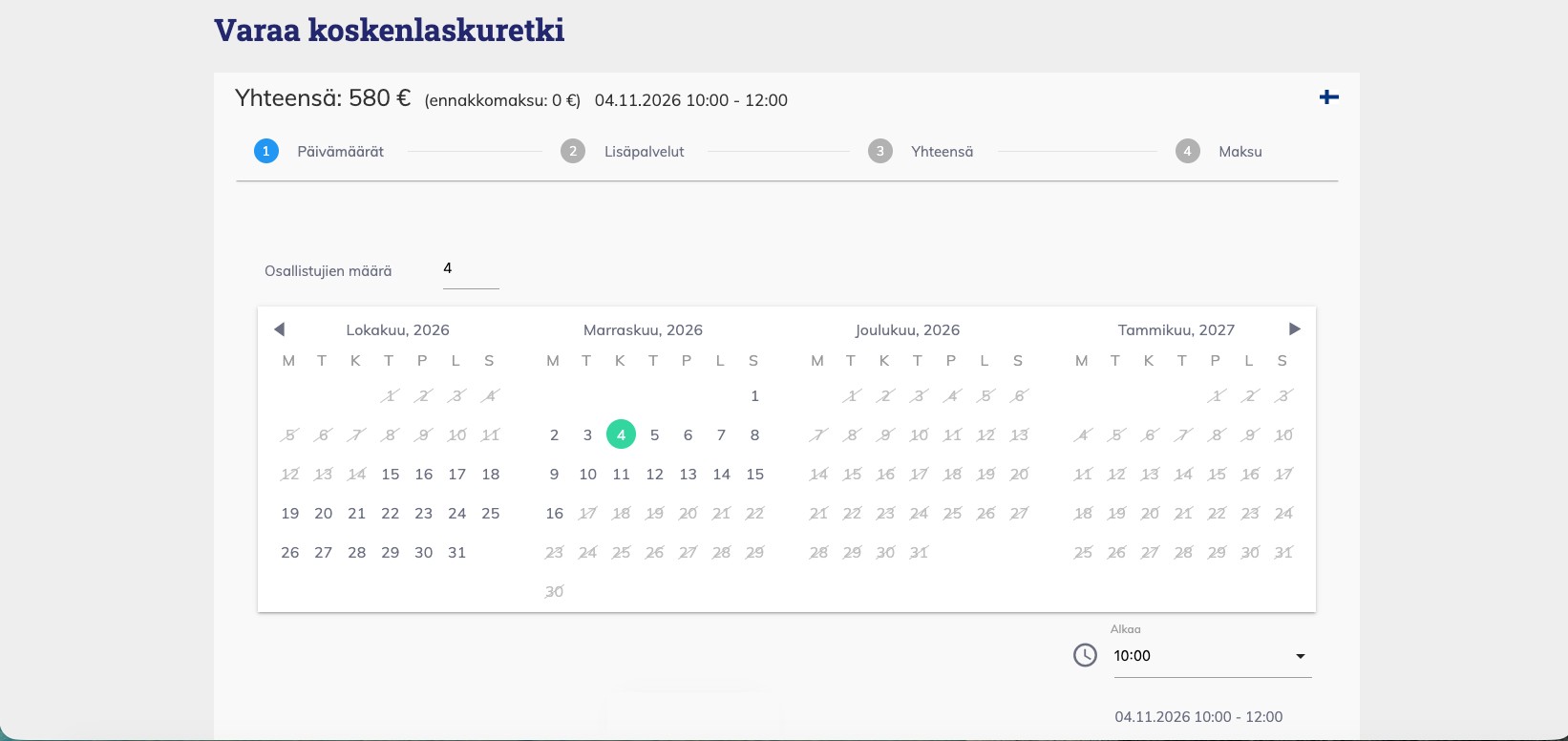
Guests choose an activity, the number of participants and a departure time on your website. The system keeps track of the equipment and guides still available for each departure.

No card details and no commitment. All Plus features are free for 30 days.

Pricing

Rentals and guided activities are priced differently.

Choose the pricing model that matches how each activity is sold. You can change the model later, but the other settings are built around it.

Rental: price by duration.

Guests choose collection and return times, and the price is calculated from the duration. Tiered hourly pricing makes a longer rental proportionally less expensive: an hour, a day and a week can each have their own hourly rate. You set the opening hours yourself.
Tour, course or safari: a package price.

The duration is fixed in advance, and guests choose the number of participants and a departure time. Alongside the base price, you can create discounted groups such as Child and Student, plus options such as different equipment sizes or a tour with or without a meal.

  1. Minimum group size.

    If a tour is viable only from five participants, guests cannot book it for a smaller group.

  2. Booking deadline.

    Decide how far in advance a booking must be made: on the same day or, for example, one week earlier.

How to create an activity
Resources

The same equipment, sold in several ways.

Tell the system what equipment and people a service needs: ten bicycles, five SUP boards or one guide. The same equipment can be used for rentals, guided tours and courses, and the calendar closes when there are not enough resources left. The same item cannot be booked twice, even when it is sold through several services.

  1. Shared equipment.

    A raft, boat or two-person snowmobile can serve several people. The system counts equipment rather than people: one ten-person raft and one guide are enough for ten guests, while a group of fifteen reserves two rafts and two guides.

  2. Personal equipment.

    A bicycle, pair of skis or snowmobile for each participant. Different sizes are created as separate options, and guests divide their group between them.

  3. Turnaround time.

    Add a break between uses, for example to check tyres or clean a kayak. The system reserves that time automatically.

  4. Resource view.

    Each item has its own row, while the top row shows free capacity in a day, three-day, week or month view.

How to add resources
Schedule

Departure times for weekdays and weekends.

Set start times for tours, and the package duration determines the end. Guests see both the departure and finishing time.

  1. Different rules for different days.

    Departures at 08:00 and 10:00 on weekdays, with an additional 06:00 departure at weekends.

  2. Close an individual departure.

    Close the 10:00 departures for the last week of October, or close every day during a holiday or maintenance period.

  3. Opening hours for rentals.

    Set the beginning and end of the working day for each activity. Collection and return times stay within those hours.

  4. A rental can run overnight.

    Collection on Friday and return on Saturday works, as long as the return falls within the opening hours on Saturday.

On your website

A separate calendar for every activity.

Create a page for each service and add its calendar with an embed that works on any website platform. Guests choose the number of participants, a date and departure time, add extras when needed and pay without leaving your site.

Guests usually know which activity they want, so they open its page and look for an available date. The Search Bar and Directory are useful when the date matters more than the activity, such as for events and seasonal tours: guests choose a day and see what is available then.

Everyday routines

Sales routines in one place.

On your phone.

The booking system works in a browser, so there is nothing to install. Many customers manage their entire operation from their phone.

menu format_indent_increasehelp_outlineperson_outline
article
1
item
In progressView
home
42%
5/12
Booked todayView
BOOKINGSPRICES
October 2026
123456
Cabin 1
Aho
Cabin 2
Laine
Cabin 3
Salo
Cabin 4
Berg
№261014103522
GuestAnna Laine
Datesfrom 03 Oct 2026
AccommodationCabin 2
SourceWebsite
StatusConfirmed
Cleaning listHome › Cleaning list
Cabin 3
04.10.2026 11:00 - 16:00
Needs cleaning

Payment methods by activity.

Choose which payment methods guests see for each activity. Many rental businesses allow payment on site only.

Extras.

Offer snacks, coffee or a map with the booking. An extra can be required and can have a maximum quantity.

Discount codes.

Create a code for a campaign or partner and limit it to selected activities.

Gift cards.

Guests buy a gift card on your website, and the recipient receives it by email — immediately or on a date selected by the buyer. Gift cards are paid for online.

The guest’s own language.

The booking confirmation, payment link and invoice are sent in the guest’s selected language, while you receive a Finnish copy.

”The software works reliably in every respect. The customer service is highly professional and flexible. … I can recommend Webia as a partner.”
Sami TalsiKokouspoukama
Frequently asked questions

Before you get started.

Which pricing model should I use?
Duration pricing suits rentals: guests choose collection and return times, and the price is calculated from the duration. Package pricing suits tours, courses and safaris with a fixed duration, participant count and departure time. A package can also be used for rentals when you always sell fixed-length periods.
Can I sell the same equipment as both a rental and a tour?
Yes. The equipment is a shared resource, so the same item cannot be booked twice even when it is sold through several activities.
Can children and students have their own price?
Yes. With package pricing, create discounted groups with a fixed or percentage discount. Guests choose how many participants belong to each group when booking.
Can I set a minimum group size for a tour?
Yes. If the tour is viable only from five participants, guests cannot book it for a smaller group.
Can I close one departure?
Yes. You can close one start time for a selected period, or close all times to make the whole day unavailable.
Will the calendar work on my current website?
Yes. The embed works on any website platform, so you do not need to replace your site.
Can guests pay only when they arrive?
Yes. Payment methods are selected separately for each activity, and many rental businesses allow payment on site only. The booking system is not connected to tills or card terminals.
Can I sell gift cards and offer discount codes?
Yes. Gift cards are sold on your website with an online payment through Visma Pay or Stripe. A discount code can be created for a campaign or partner and limited to selected activities. Both features are included in Plus.
Can I move from another system?
The transfer depends on your current system and the data it can export, so we review it case by case.
How much does the booking system cost?
Activities are available from Basic. With annual billing, Basic costs €10 per month and Plus €30 per month. Plus also includes gift cards and discount codes. All Plus features are available during the trial. Prices exclude VAT. See pricing →